 Tenbin
Professional setup guide
Publish your professional profile
Follow these six steps from registration to publication. You can return to this guide whenever you need help.
You do not need another account if you already have one. Find this page anytime under Setup guide in your dashboard or the site footer.
01Setup step
Introduce yourself
Your public page is for English-speaking clients. Write your job title, headline, bio, expertise and topics in English, and set Profile language to English. Changing the interface language does not translate your writing.
Before moving onCheck that your display name and expertise have been saved.
Open profile settings →02Setup step
Connect Google Calendar
Connect your Google account. Choose a calendar for new bookings and the calendars to check for scheduling conflicts.
Before moving onCheck that a writable calendar is available.
Open calendar connections →03Setup step
Create a paid session
Write the title and description in English: explain the scope, intended audience and what clients can take away. Set the page language to English, then choose duration, price, currency, availability and destination calendar.
Before moving onCheck the price and destination calendar before saving.
Create a session →04Setup step
Set up payments and payouts
Open Stripe setup from your booking page’s pricing section and enter your identity, business and bank details. Return to Tenbin and check that payments are enabled. Complete any outstanding Stripe requests.
Before moving onReturning from Stripe does not mean verification is complete. Check payment and payout status separately.
Open booking page settings →05Setup step
Publish your page and listing
Listed automatically if you live in Japan or offer sessions in Japanese. You can publish before connecting. Bookings stay unavailable until your calendar and payments are ready.
Before moving onListed automatically if you live in Japan or offer sessions in Japanese.
Open publishing settings →06Setup step
Check the public page
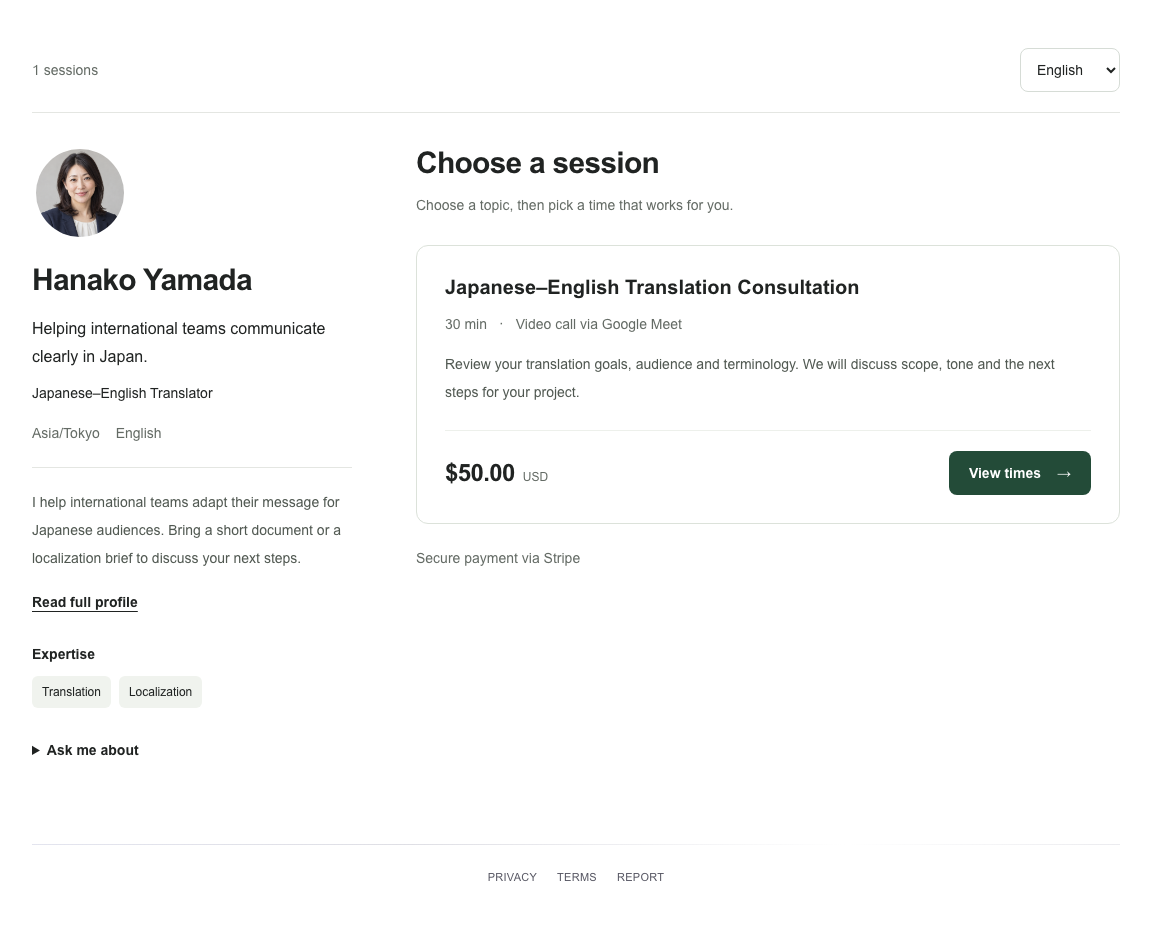
Open your public URL in English. Check the English job title, bio, session title and description, plus pricing, availability and booking links. The five interface languages do not automatically translate seller-written content.
Before moving onListed automatically if you live in Japan or offer sessions in Japanese.
Find my public URL →If your listing does not appear
Your profile appears in the Japan directory if you live in Japan or offer sessions in Japanese. You can publish before connecting. Bookings stay unavailable until your calendar and payments are ready.
Adding another session for the same professional increases the session count, not the professional count.
Review publishing steps ↑